Download & Launch Desktop App
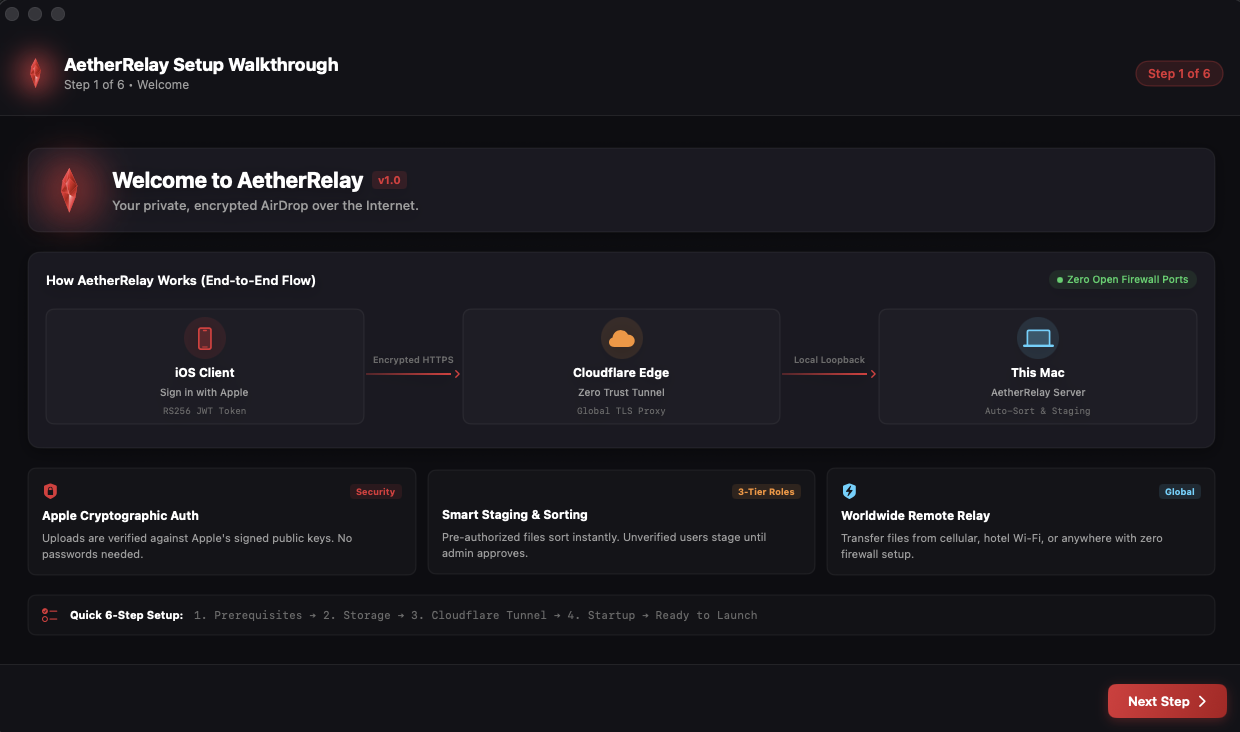
Download the open-source AetherRelay Desktop application from GitHub. The app features a native macOS SwiftUI interface and setup wizard.
- Open AetherRelay.app on your Mac.
- The setup wizard automatically verifies system requirements and directory permissions.
 🔍 Click to Enlarge
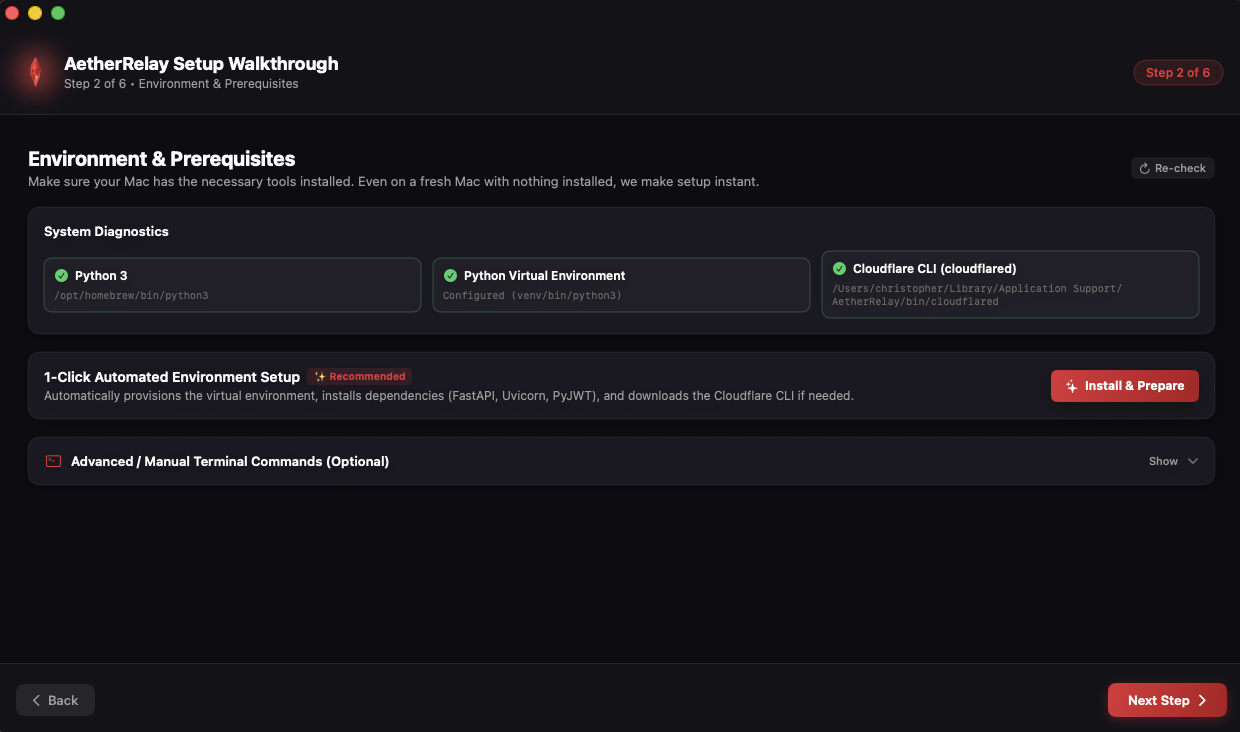
1-Click Automated Python Setup
No manual terminal commands needed! Click the automated setup button and let the manager configure everything in the background.
-
Creates an isolated Python virtual environment (
.venv). - Installs FastAPI, Uvicorn, cryptography, and required packages with one click.
 🔍 Click to Enlarge
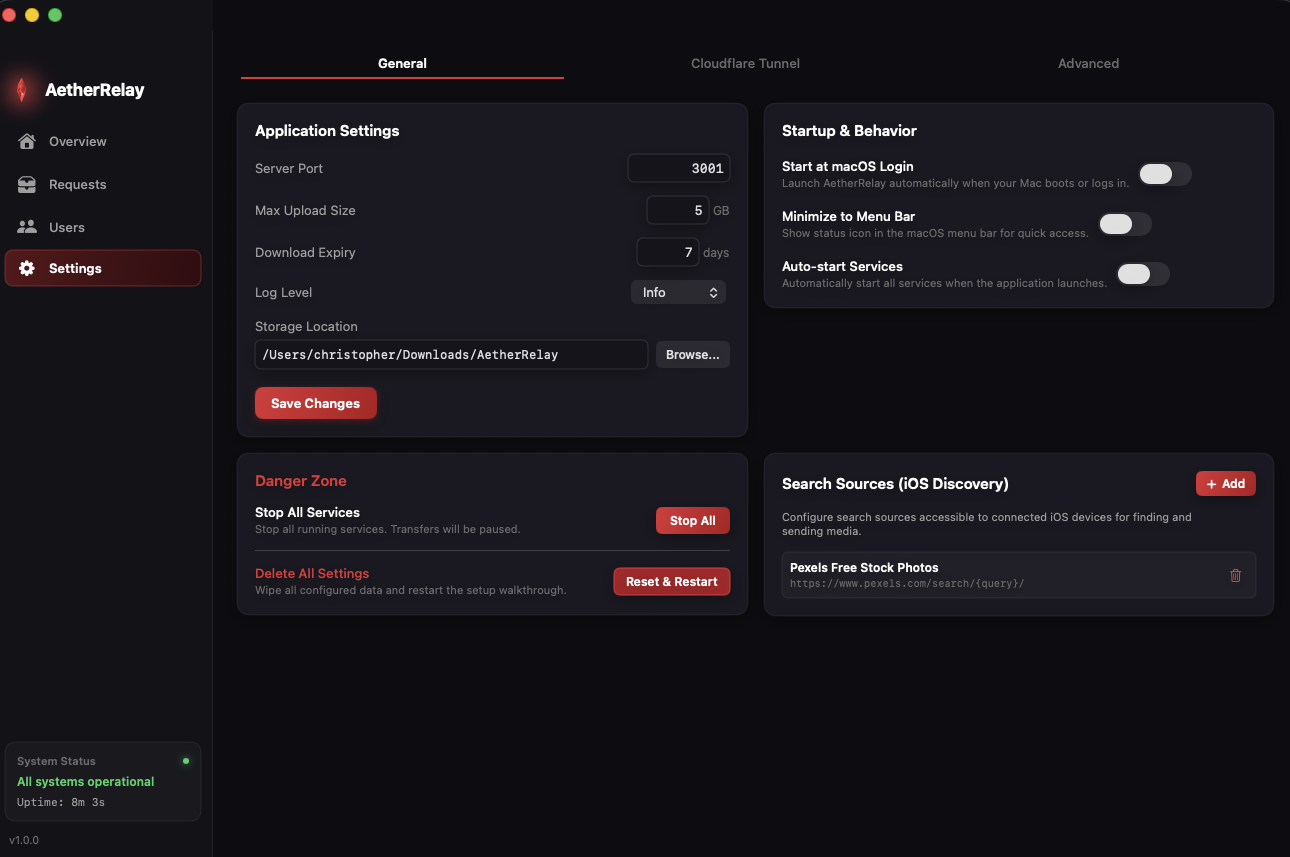
Customize Folders & Media Categories
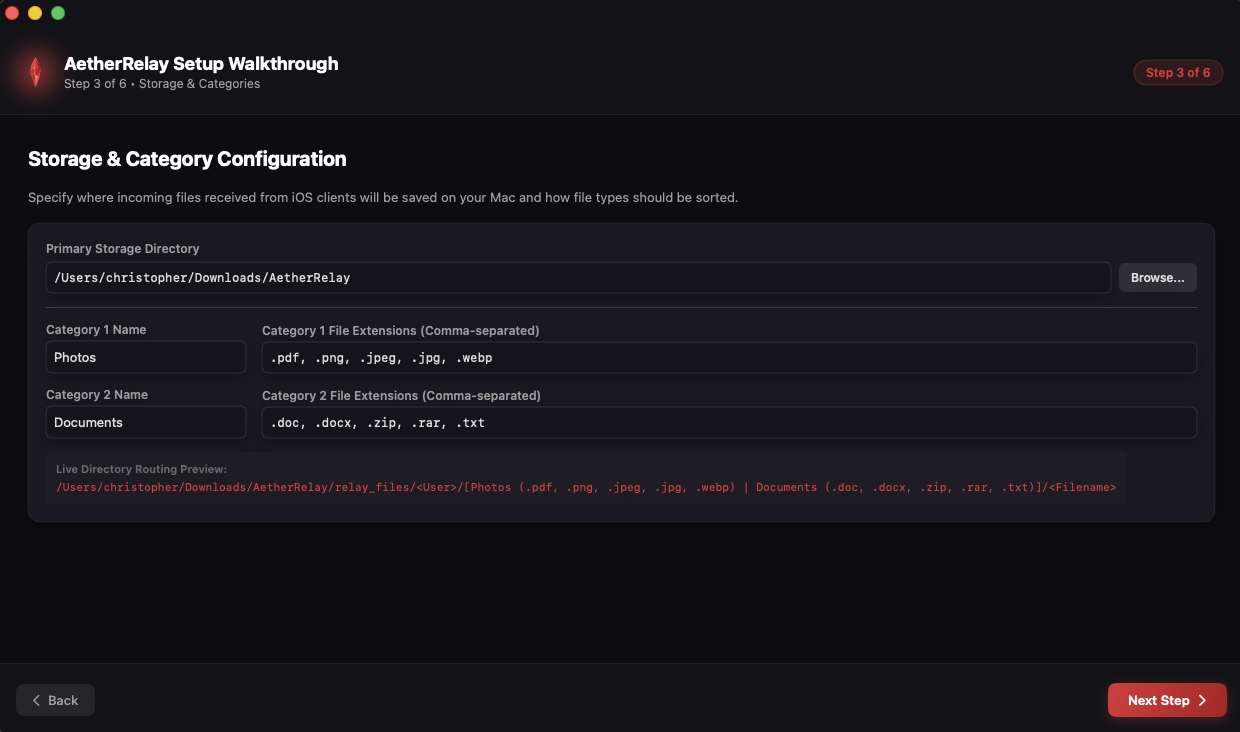
Choose where incoming files land on your Mac and define your custom category tags for automatic sorting.
- Select your target Downloads or Media storage directory.
- Configure custom category labels (e.g., Photos & Images, Documents & Invoices).
 🔍 Click to Enlarge
Connect Cloudflare Zero-Trust Tunnel
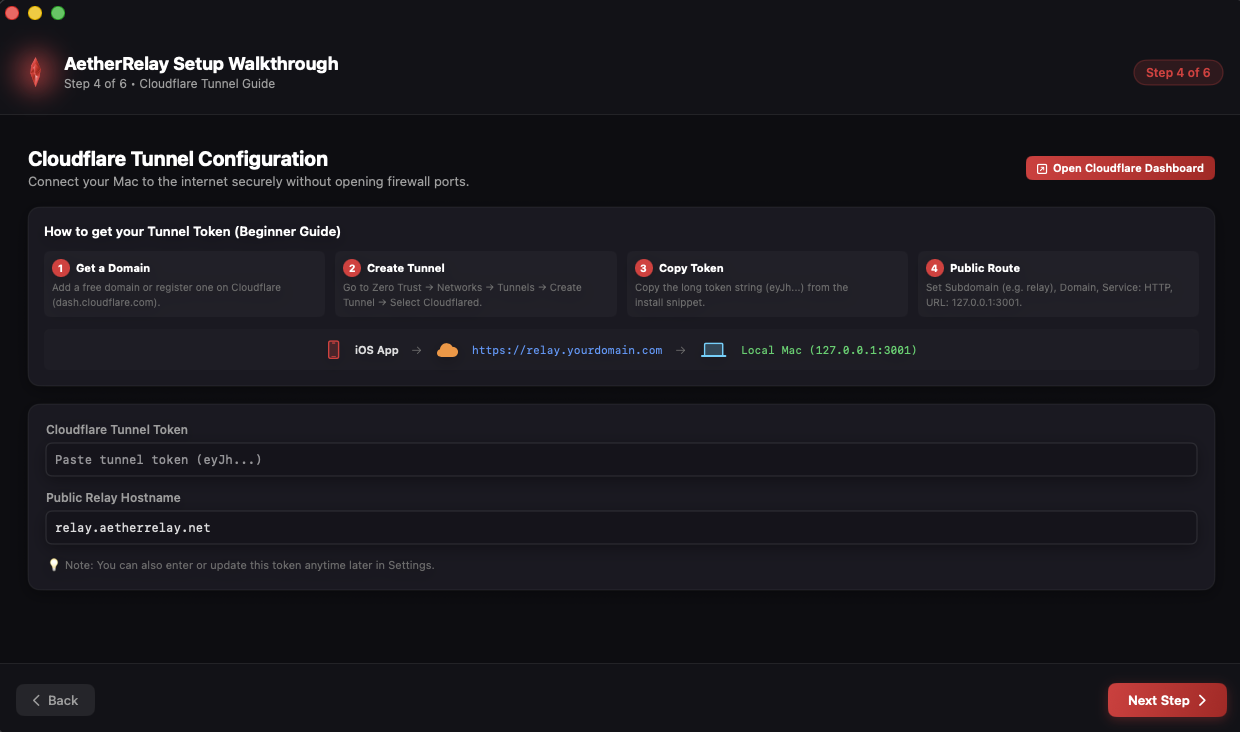
Transmit files securely from your iPhone anywhere in the world without opening risky router ports or needing a static public IP address.
-
Enter your Cloudflare Tunnel hostname (e.g.
https://relay.yourdomain.com) or launch a quick tunnel. -
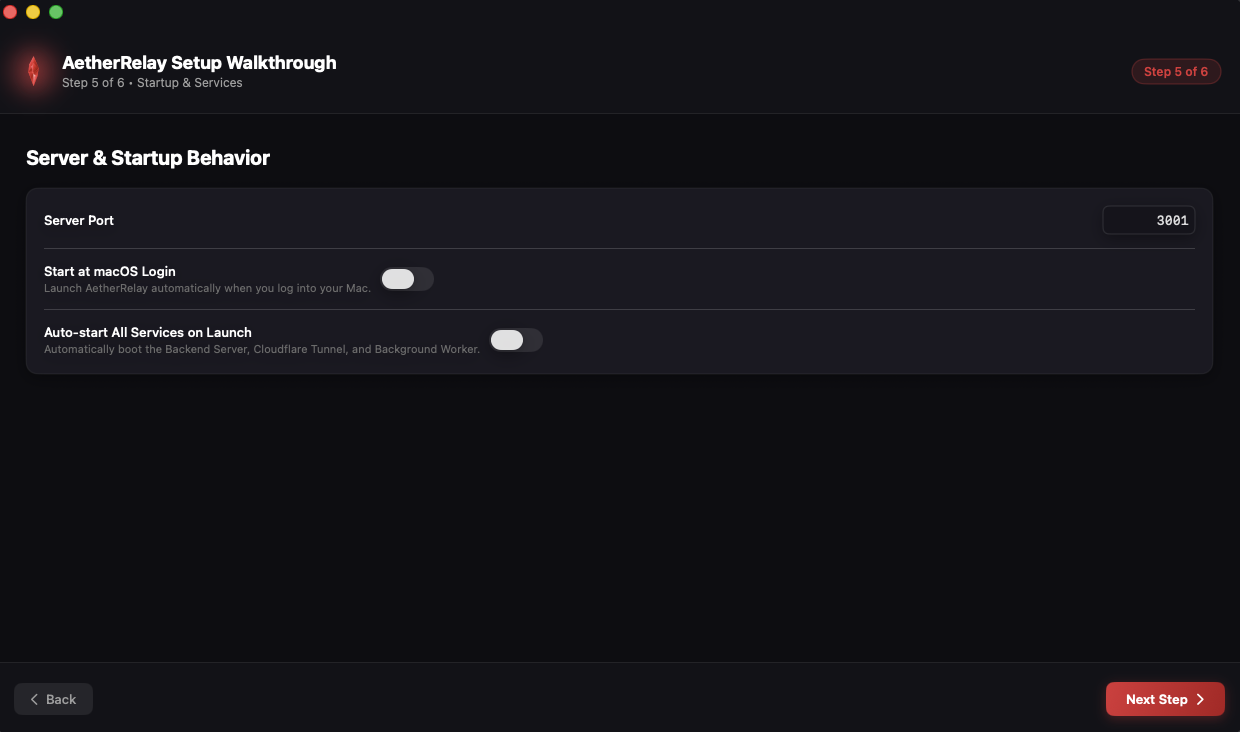
Tunnel automatically routes incoming requests directly to local port
3001.
 🔍 Click to Enlarge
Connect Your iOS App & Start Relaying
Launch your server and connect the AetherRelay iOS or iPadOS app to begin sending files instantly.
- Paste your Tunnel URL into the Relay URL field in the iOS app settings.
- Sign in with Apple on iOS to establish verified transmission credentials.
- AetherRelay sits in your macOS menu bar as a glowing Red Crystal daemon, ready 24/7.
 🔍 Click to Enlarge
Complete Control from macOS
Everything you need to supervise background worker loops, approve user requests, and automate incoming workflows.
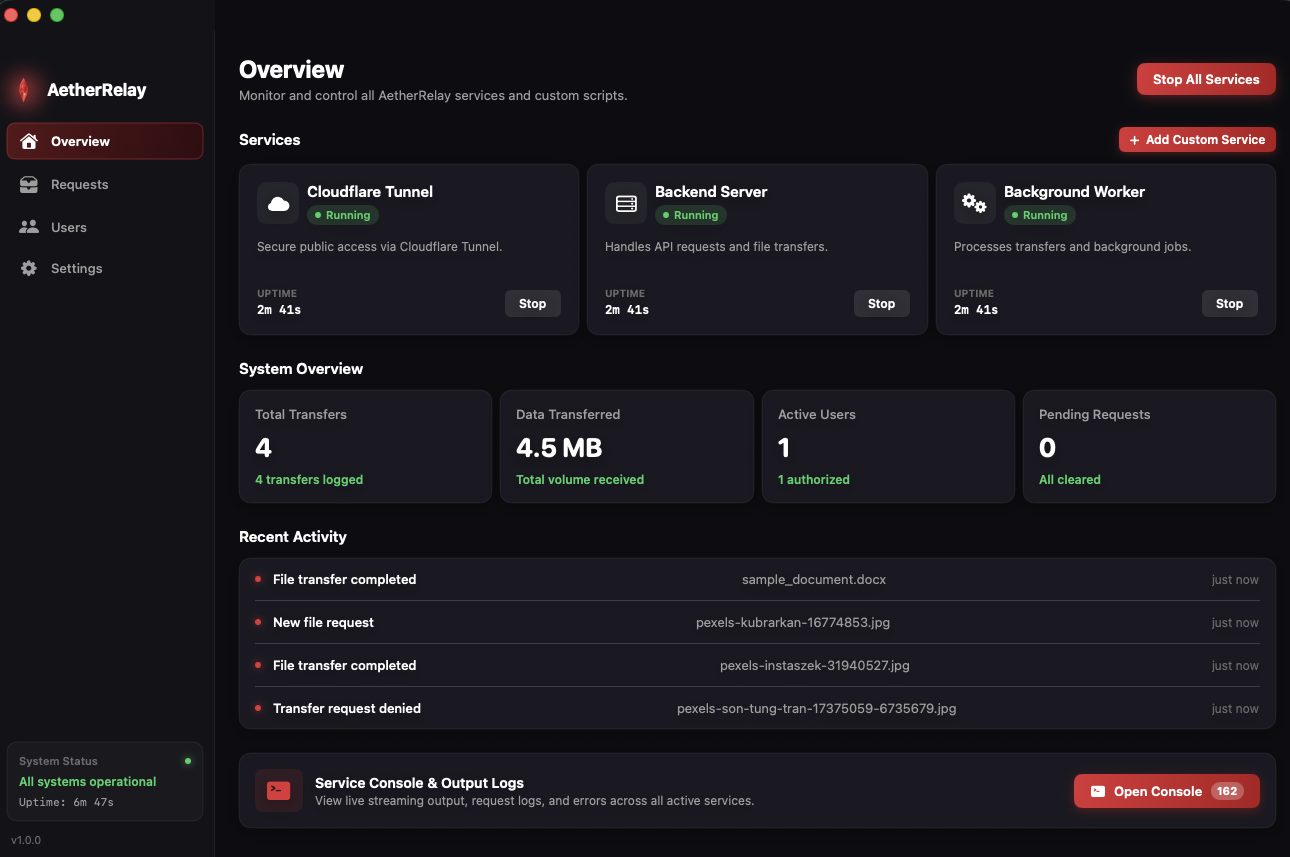
Live Status & Process Supervisor
Monitor Uvicorn port status, Cloudflare Tunnel health, and auto-restart failed worker loops with live console logging.
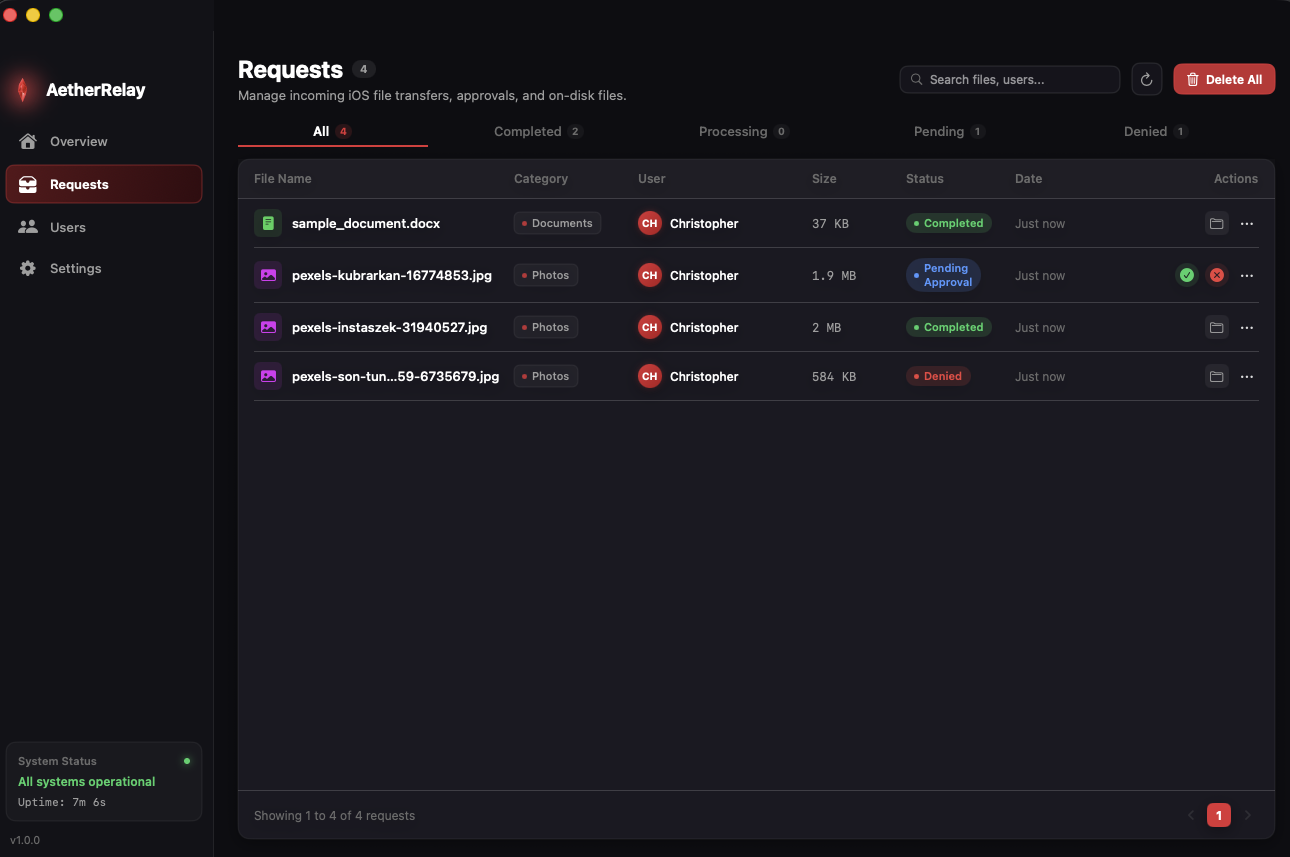
Live Request Queue & Approvals
Inspect incoming file requests in real-time. Automatically approve trusted users or manually review incoming payloads.
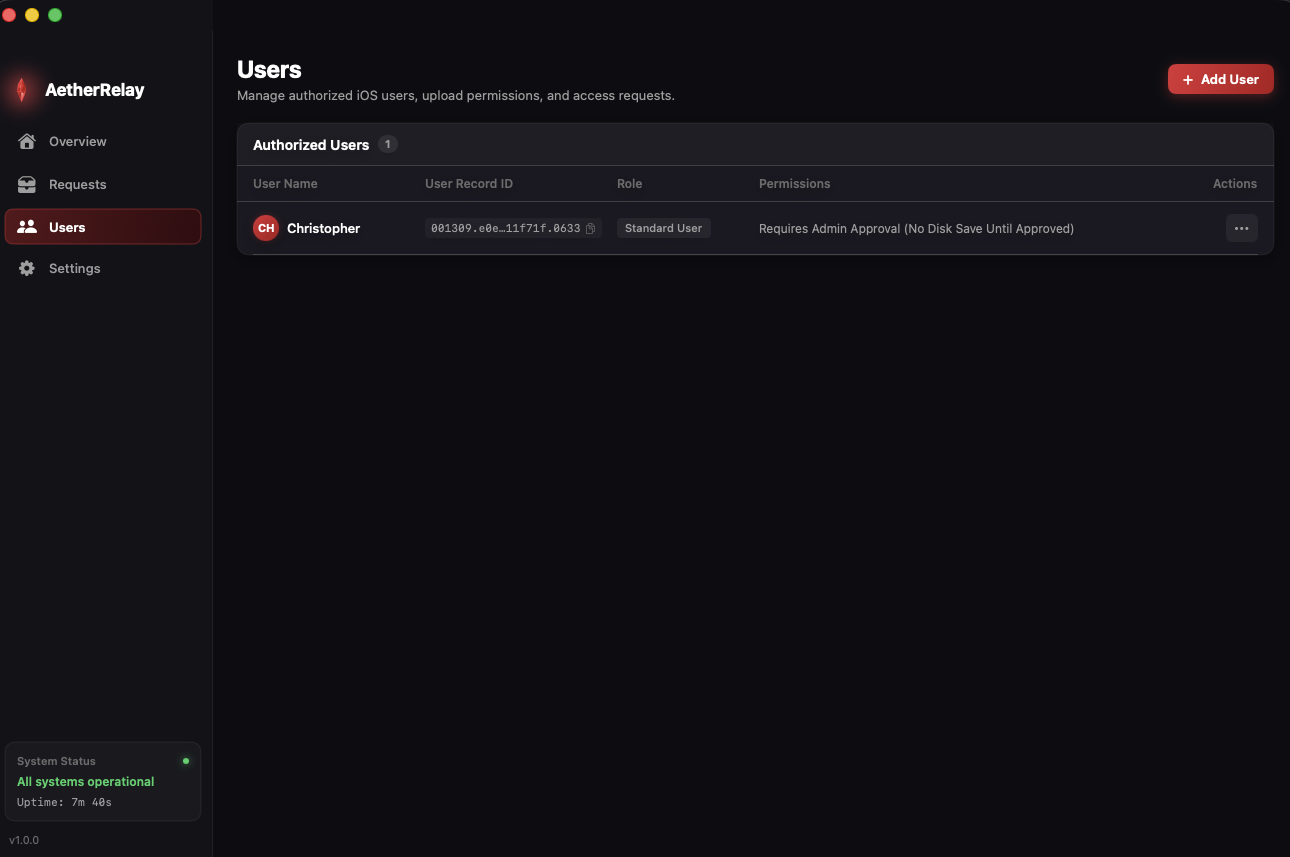
3-Tier Role & Access Control
Grant Admin, Pre-Authorized, or Standard permissions to individual Apple IDs with instant backend-driven role synchronization.
Custom Python Automations
Trigger automated scripts upon file arrival: auto-open in VLC/Photoshop/Excel, transcode with FFmpeg, or push Discord/Slack webhooks.
Setup & Hosting FAQ
Do I need to leave my Mac awake 24/7?
Yes, whenever you want to send files to your mac it needs to be turned on and running the backend server. You can probably leave your mac in sleep mode, but it needs to be running the backend server to receive files.
Can I host AetherRelay on Linux or Docker?
Yes! The backend core is pure Python FastAPI and can be run on Ubuntu, Debian, Raspberry Pi, or
Docker containers by running python3 main.py inside the Backend folder.
Is Cloudflare Tunnel free?
Yes. Cloudflare Zero-Trust Tunnels (cloudflared) are 100% free for personal usage and provide secure, encrypted HTTPS routing with zero port forwarding.
Where are my uploaded files stored?
All files are saved strictly to the Downloads folder or custom directory you specify in the settings. Nothing is uploaded to third-party databases or remote servers.
Ready to Run Your Private Relay?
Download the open-source code and macOS manager on GitHub, or install the companion iOS app from the App Store.